Friday, May 9, 2025

Cara Mengendalikan Laptop/Komputer dari Jauh

Cara Mengendalikan Laptop/Komputer dari Jauh

Pernahkah anda berpikir untuk bisa remote/cek laptop maupun komputer dari jauh? Jika ya anda bisa memakai aplikasi yang bernama ANYDESK, 
Aplikasi ini mempunyai fungsi utama yang memungkinkan pengguna mengakses komputer mereka dari jarak jauh dengan syarat kedua laptop/komputer sudah instal aplikasi ini serta sama-sama terhubung ke internet.

Thursday, August 18, 2022

Cara mengetahui Kesehatan Hardisk Laptop/PC

Cara mengetahui Kesehatan Hardisk Laptop/PC


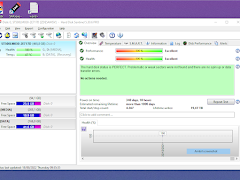
Selamat hari kemerdekaan sob, kali ini teknologic akan sharing & membagikan salah satu aplikasi yang bakal berguna untuk digunakan bagi kelian semua, Mungkin dari kalian ada yang mengeluh kenapa laptop atau komputer yang dipakai sangat lemot untuk digunakan, bahkan untuk masuk ke windows saja lama, salah satu hal yang bisa menjadi kendala adalah kondisi hardisk yang tidak fit 100%. Lantas bagaimana cara agar kita mengetahuinya? tenang saja sobat, kita bisa menggunakan aplikasi bernama hardisk sentinel pro. Aplikasi ini sebenarnya berbayar tetapi akan saya bagikan gratis untuk sobat Teknologic. 

Tuesday, January 25, 2022

5 Games PC Terbaik Versi Teknologic

5 Games PC Terbaik Versi Teknologic


Hari ini teknologic akan posting artikel ringan bagi kalian yang suka bermain game di PC, teknologic juga seneng bermain game untuk mengisi waktu luang baik di Playstation, Nintendo Switch maupun PC. Ini adalah pendapat pribadi dari kami, karena selera setiap orang berbeda dalam bermain game. Tidak ada game yang jelek menurut teknologic, kita hanya penikmat saja kalau tidak cocok tinggal skip tanpa perlu menjatuhkan suatu judul game/genre game.

Wednesday, January 19, 2022

Terms of Service

Terms of Service

Terms and Conditions

Welcome to teknologic!

These terms and conditions outline the rules and regulations for the use of teknologic's Website, located at http://www.teknologic.xyz/.

By accessing this website we assume you accept these terms and conditions. Do not continue to use teknologic if you do not agree to take all of the terms and conditions stated on this page.

The following terminology applies to these Terms and Conditions, Privacy Statement and Disclaimer Notice and all Agreements: "Client", "You" and "Your" refers to you, the person log on this website and compliant to the Company’s terms and conditions. "The Company", "Ourselves", "We", "Our" and "Us", refers to our Company. "Party", "Parties", or "Us", refers to both the Client and ourselves. All terms refer to the offer, acceptance and consideration of payment necessary to undertake the process of our assistance to the Client in the most appropriate manner for the express purpose of meeting the Client’s needs in respect of provision of the Company’s stated services, in accordance with and subject to, prevailing law of Netherlands. Any use of the above terminology or other words in the singular, plural, capitalization and/or he/she or they, are taken as interchangeable and therefore as referring to same. Our Terms and Conditions were created with the help of the Terms & Conditions Generator.

Cookies

We employ the use of cookies. By accessing teknologic, you agreed to use cookies in agreement with the teknologic's Privacy Policy.

Most interactive websites use cookies to let us retrieve the user’s details for each visit. Cookies are used by our website to enable the functionality of certain areas to make it easier for people visiting our website. Some of our affiliate/advertising partners may also use cookies.

License

Unless otherwise stated, teknologic and/or its licensors own the intellectual property rights for all material on teknologic. All intellectual property rights are reserved. You may access this from teknologic for your own personal use subjected to restrictions set in these terms and conditions.

You must not:

  • Republish material from teknologic
  • Sell, rent or sub-license material from teknologic
  • Reproduce, duplicate or copy material from teknologic
  • Redistribute content from teknologic

This Agreement shall begin on the date hereof.

Parts of this website offer an opportunity for users to post and exchange opinions and information in certain areas of the website. teknologic does not filter, edit, publish or review Comments prior to their presence on the website. Comments do not reflect the views and opinions of teknologic,its agents and/or affiliates. Comments reflect the views and opinions of the person who post their views and opinions. To the extent permitted by applicable laws, teknologic shall not be liable for the Comments or for any liability, damages or expenses caused and/or suffered as a result of any use of and/or posting of and/or appearance of the Comments on this website.

teknologic reserves the right to monitor all Comments and to remove any Comments which can be considered inappropriate, offensive or causes breach of these Terms and Conditions.

You warrant and represent that:

  • You are entitled to post the Comments on our website and have all necessary licenses and consents to do so;
  • The Comments do not invade any intellectual property right, including without limitation copyright, patent or trademark of any third party;
  • The Comments do not contain any defamatory, libelous, offensive, indecent or otherwise unlawful material which is an invasion of privacy
  • The Comments will not be used to solicit or promote business or custom or present commercial activities or unlawful activity.

You hereby grant teknologic a non-exclusive license to use, reproduce, edit and authorize others to use, reproduce and edit any of your Comments in any and all forms, formats or media.

Hyperlinking to our Content

The following organizations may link to our Website without prior written approval:

  • Government agencies;
  • Search engines;
  • News organizations;
  • Online directory distributors may link to our Website in the same manner as they hyperlink to the Websites of other listed businesses; and
  • System wide Accredited Businesses except soliciting non-profit organizations, charity shopping malls, and charity fundraising groups which may not hyperlink to our Web site.

These organizations may link to our home page, to publications or to other Website information so long as the link: (a) is not in any way deceptive; (b) does not falsely imply sponsorship, endorsement or approval of the linking party and its products and/or services; and (c) fits within the context of the linking party’s site.

We may consider and approve other link requests from the following types of organizations:

  • commonly-known consumer and/or business information sources;
  • dot.com community sites;
  • associations or other groups representing charities;
  • online directory distributors;
  • internet portals;
  • accounting, law and consulting firms; and
  • educational institutions and trade associations.

We will approve link requests from these organizations if we decide that: (a) the link would not make us look unfavorably to ourselves or to our accredited businesses; (b) the organization does not have any negative records with us; (c) the benefit to us from the visibility of the hyperlink compensates the absence of teknologic; and (d) the link is in the context of general resource information.

These organizations may link to our home page so long as the link: (a) is not in any way deceptive; (b) does not falsely imply sponsorship, endorsement or approval of the linking party and its products or services; and (c) fits within the context of the linking party’s site.

If you are one of the organizations listed in paragraph 2 above and are interested in linking to our website, you must inform us by sending an e-mail to teknologic. Please include your name, your organization name, contact information as well as the URL of your site, a list of any URLs from which you intend to link to our Website, and a list of the URLs on our site to which you would like to link. Wait 2-3 weeks for a response.

Approved organizations may hyperlink to our Website as follows:

  • By use of our corporate name; or
  • By use of the uniform resource locator being linked to; or
  • By use of any other description of our Website being linked to that makes sense within the context and format of content on the linking party’s site.

No use of teknologic's logo or other artwork will be allowed for linking absent a trademark license agreement.

iFrames

Without prior approval and written permission, you may not create frames around our Webpages that alter in any way the visual presentation or appearance of our Website.

Content Liability

We shall not be hold responsible for any content that appears on your Website. You agree to protect and defend us against all claims that is rising on your Website. No link(s) should appear on any Website that may be interpreted as libelous, obscene or criminal, or which infringes, otherwise violates, or advocates the infringement or other violation of, any third party rights.

Reservation of Rights

We reserve the right to request that you remove all links or any particular link to our Website. You approve to immediately remove all links to our Website upon request. We also reserve the right to amen these terms and conditions and it’s linking policy at any time. By continuously linking to our Website, you agree to be bound to and follow these linking terms and conditions.

Removal of links from our website

If you find any link on our Website that is offensive for any reason, you are free to contact and inform us any moment. We will consider requests to remove links but we are not obligated to or so or to respond to you directly.

We do not ensure that the information on this website is correct, we do not warrant its completeness or accuracy; nor do we promise to ensure that the website remains available or that the material on the website is kept up to date.

Disclaimer

To the maximum extent permitted by applicable law, we exclude all representations, warranties and conditions relating to our website and the use of this website. Nothing in this disclaimer will:

  • limit or exclude our or your liability for death or personal injury;
  • limit or exclude our or your liability for fraud or fraudulent misrepresentation;
  • limit any of our or your liabilities in any way that is not permitted under applicable law; or
  • exclude any of our or your liabilities that may not be excluded under applicable law.

The limitations and prohibitions of liability set in this Section and elsewhere in this disclaimer: (a) are subject to the preceding paragraph; and (b) govern all liabilities arising under the disclaimer, including liabilities arising in contract, in tort and for breach of statutory duty.

As long as the website and the information and services on the website are provided free of charge, we will not be liable for any loss or damage of any nature.

Sitemap

Sitemap

Privacy Policy

Privacy Policy


Privacy Policy for Teknologic

At Teknologic, accessible from http://www.teknologic.xyz/, one of our main priorities is the privacy of our visitors. This Privacy Policy document contains types of information that is collected and recorded by Teknologic and how we use it.

If you have additional questions or require more information about our Privacy Policy, do not hesitate to contact us.

Disclaimer

Disclaimer


Disclaimer for teknologic

If you require any more information or have any questions about our site's disclaimer, please feel free to contact us by email at hell.sasongko@gmail.com

Disclaimers for teknologic

All the information on this website - http://www.teknologic.xyz/ - is published in good faith and for general information purpose only. teknologic does not make any warranties about the completeness, reliability and accuracy of this information. Any action you take upon the information you find on this website (teknologic), is strictly at your own risk. teknologic will not be liable for any losses and/or damages in connection with the use of our website. Our Disclaimer was generated with the help of the Disclaimer Generator.

From our website, you can visit other websites by following hyperlinks to such external sites. While we strive to provide only quality links to useful and ethical websites, we have no control over the content and nature of these sites. These links to other websites do not imply a recommendation for all the content found on these sites. Site owners and content may change without notice and may occur before we have the opportunity to remove a link which may have gone 'bad'.

Please be also aware that when you leave our website, other sites may have different privacy policies and terms which are beyond our control. Please be sure to check the Privacy Policies of these sites as well as their "Terms of Service" before engaging in any business or uploading any information.

Consent

By using our website, you hereby consent to our disclaimer and agree to its terms.

Update

Should we update, amend or make any changes to this document, those changes will be prominently posted here.

Contact Us

Contact Us


Jika anda ingin menghubungi saya secara pribadi dengan alasan tertentu/kerjasama bisnis, dipersilahkan menghubungi kami dengan mengirim email ke 
Hell.sasongko@gmail.com atau mengisi form di bawah ini:

Monday, January 17, 2022

Konek Stik PS4 ke Nintendo Switch Tanpa Dongle

Konek Stik PS4 ke Nintendo Switch Tanpa Dongle

Kali ini saya akan bikin tutorial cara konek stik ps4 (DS4) ke nintendo switch tanpa alat tambahan/dongle. Tutor ini hanya berlaku bagi switch yang sudah jailbreak/custom firmware ya alias baja*an, untuk ori/OFW tidak bisa & wajib beli dongle untuk bisa konek.


Aplikasi ini bernama Mission Control. Tutorial Mission Control untuk pairing dengan DS4 (stik lain haruse bisa, saya sudah liat di youtube cuma cara koneknya yang beda saat pencet tombolnya) :

  1. Download file zip nya, langsung disini (ada dibagian assets bawah, file bentuk ZIP)
  2. Extract kemudian copy paste hasil extract ke dlm microSD
  3. Search controllernya masuk ke mode pairing, tekan tombol share + PS sampe kedip cepet lalu terbaca diswitch
  4. Selamat stik ps4 (DS4) sudah konek

Friday, January 14, 2022

Cara Mudah Mengakses Komputer/Laptop Dari Jauh

Cara Mudah Mengakses Komputer/Laptop Dari Jauh

Apakah kalian punya file penting di komputer/laptop rumah & urgent untuk segera digunakan? jika iya maka tutorial ini sangat berguna bagi anda, cukup 2 modal utama yakni koneksi internet & aplikasi ANYDESK. aplikasi anydesk digunakan untuk meremot komputer/laptop dari jauh via koneksi internet saja. Software ini gratis untuk penggunaan personal serta cukup mudah dalam penggunaannya. Langsung saja saya kasih tutorial instal & menggunakan.


TUTORIAL INSTAL
  1. Download aplikasi ANYDESK lewat browser anda/klik disini
  2. Setelah itu instal sampai selesai, tinggal next aja
  3. Jika sudah selesai akan terbuka & terdapat kode angka yang akan muncul (9 angka)
  4. angka tersebut adalah alamat ANYDESK kita, jika ingin mengakses secara jauh, maka anda tinggal copas saja angka yang muncul dikomputer/laptop yang ingin anda akses di kolom "ENTER REMOTE ADDRESS",
  5. sesudah input 9 angka klik enter maka akan diminta akses ke komputer yang ingin anda remot, klik ACCEPT di komputer/laptop yang ingin anda remot
  6. berhasil, anda telah sukses mengakses komputer/laptop jarak jauh via ANYDESK
PENTING
  1. komputer/laptop semua wajib nyala & konek ke internet
  2. untuk pertama kali butuh orang lain untuk klik pilihan ACCEPT ketika anda akan mengakses dari jarak jauh, jadi pastikan ada orang lain dikomputer/laptop yang ingin anda remot dari jauh untuk mengklik perintah ACCEPT
  3. jika sudah, anda masuk ke SETTINGS-SECURITY, centang pilihan ENABLE UNATTENDED ACCESS lalu masukkan pasword, ini bertujuan anda akan otomatis masuk dengan pasword tanpa perlu orang lain untuk klik ACCEPT seperti dijelaskan dinomor 2.

Thursday, January 13, 2022

Cara Reset Printer Epson

Cara Reset Printer Epson

Sekian lama tidak posting, akhirnya saya mulai kembali untuk membagikan software yang sangat berguna bagi teknisi printer/kalian yang mengalami eror printer, biasanya dengan keterangan "service required","Masa Pakai Bantalan Tinta Printer Telah Berakhir" atau "A Printer's Ink Pad Is At the End Of Its Service Life".
Menggunakan aplikasi resetter, aplikasi ini biasa saya gunakan sendiri untuk printer epson tipe L130 - L220 - L310 - L360 - L365 - L3110 - L1110


CARA INSTAL
1. Download aplikasi yang ada link dibawah, jangan lupa disable dulu antivirus/windows defender
2. extract menggunakan winrar, password : yanconx.blogspot.com
3. Masuk ke Folder Epson L3110 Resetter, klik 2x adjprog.exe
4. disini akan mengcopy hardware ID, klik OK 
5. Masuk folder keygen klik 2x file WLGen_Epson_L3110 exe
6. Klik License Manager
7. Klik Tombol Add License di pojok kiri atas
8. Ketikkan Nama anda (terserah) di kolom Customer
9. Bagian Hardware ID tinggal klik kanan pilih paste, ini sudah kita lakukan dicara no.4
10. Klik Save
11. akan muncul nama yang anda buat, pilih lalu klik tombol Create License Key
12. Lisensi anda akan muncul difolder dengan nama yang telah dibuat tadi.
13. Buka folder klik license 2x, terus klik Yes dan Ok
14. Kembali ke folder Epson L3110 Resetter, klik 2x adjprog.exe
15. Klik OK, anda berhasil meregistrasi & menggunakan program ini.

CARA PENGGUNAAN
1. Buka lagi program adjprog.exe
2. Biasanya otomatis printer akan terbaca, jika tidak klik tombol SELECT, untuk memilih Model Printer secara Manual
3. Klik Particular adjustment mode
4. Pilih menu Maintenance’dan klik Waste ink pad counter, terus OK
5. Tahap selanjutnya anda harus mencentang Main pad counter & Platen pad counter
6. Pilih Initialize langsung, karena yang check hanya untuk mengetahui jumlah yang sudah digunakan untuk mencetak
7. Tunggu sampai proses selesai
8. Muncul kotak dialog untuk mematikan printer lalu menyalakan lagi.
9. Selamat printer anda sudah kembali normal untuk mencetak

Thursday, November 2, 2017

Driver Converter stik PS ke PC/Laptop

Driver Converter stik PS ke PC/Laptop

Setelah lama ga update akhirnya kali ini saya akan memberikan aplikasi yang sering dicari oleh pengguna internet yakni driver konverter stik PS ke PC/Laptop, meski dulu pernah posting akan tetapi banyak yang mengeluh ga bisa gunain. Mungkin karena filenya udah terlalu jadul.

Friday, May 8, 2015

Mengatasi Error GTA V PC

Mengatasi Error GTA V PC

Sebuah game open world yang telah lama ditunggu-tunggu para penggemar gamer PC diseluruh dunia yakni Grand Theft Auto V atau yang lebih familiar disebut dengan GTA 5. Meskipun terhitung sukses dalam hal penjualan akan tetapi berdasarkan pengamatan saya diforum game lokal maupun luar banyak juga masalah yang terdapat dalam game ini, yang paling sering adalah Random Crash baik saat ganti karakter maupun cover dalam menembak. Berikut ini saya rangkum beberapa masalah yang ada serta cara mengatasinya. Pastikan PC/laptop anda memenuhi spek minimum untuk memainkan game ini, silahkan baca artikel ini untuk mengetahui spek minimumnya.

Monday, May 4, 2015

Download Grand Theft Auto V (GTA 5)-FULL UNLOCKED

Download Grand Theft Auto V (GTA 5)-FULL UNLOCKED

Game yang paling ditunggu buat para PC gamer yakni Grand Theft Auto V atau yang lebih familiar disebut GTA 5, dalam game ini kita memainkan 3 karakter yang berbeda yakni Franklin, Michael dan Trevor yang dapat sewaktu-waktu kita ganti. sebelum memainkannya pastikan PC anda cukup mumpuni untuk menjalankannya. Berikut minimal spesifikasi PC/laptop untuk memainkan:

Sunday, September 21, 2014

Mengedit File PDF yang ber-Password (Tanpa Aplikasi)

Mengedit File PDF yang ber-Password (Tanpa Aplikasi)

Setelah lama vakum akhirnya malam ini saya kembali memutuskan untuk posting di blog ini yang lama telah saya tinggalkan, sebagai pembuka saya akan membagi sebuah tips yang berguna bagi kita semua, yakni cara untuk mengedit File PDF yang dilindungi password tanpa menggunakan aplikasi maupun software, cukup dengan koneksi innternet saja.

Monday, January 14, 2013

Menghapus Virus Ramnit Dengan Mudah

Menghapus Virus Ramnit Dengan Mudah

Pernahkah komputer ataupun laptop anda terasa sangat lambat bahkan lama kelamaan tidak dapat menjalankan suatu program? jika memang iya dapat dipastikan komputer/laptop anda terinfeksi virus ramnit. Virus ini biasanya menyerang RAM, salah satu media penyebarannya adalah removable disk (flashdisk dan hardisk eksternal) yang asal colok dan tidak di-scan terlebih dahulu. Ciri yang paling mudah dikenali pada komputer yang telah terinfeksi Ramnit adalah terciptanya 4 buah shortcut pada removable disk dengan nama:  
Copy of Shortcut to (1).lnk 
Copy of Shortcut to (2).lnk 
Copy of Shortcut to (3).lnk 
Copy of Shortcut to (4).lnk

Wednesday, June 20, 2012

Saya Kembali

Saya Kembali

Bingung, itulah kata yang pertama kali terlintas di benak saya ketika akan memulai untuk ngeblog lagi. Ya sebab hampir sekitar 5 bulan saya tidak menyentuh blog ini, terakhir kali kalau tidak salah awal Februari saya terakhir ngeblog, iseng-iseng login ke blogger & ternyata hasrat menulis saya kembali muncul melihat jumlah pengunjung yang ada ternyata masih lumayan banyak.

Monday, February 6, 2012

Kembali ke Blogspot

Kembali ke Blogspot

Sekedar informasi bagi para pengunjung, mulai terhitung besok domain blog ini yang bernama www.id-yansoft.com akan kembali seperti semula yakni www.yanconx.blogspot.com dikarenakan ada beberapa kendala seputar masalah administrasi. Akan tetapi jangan khawatir karena isi dan bobot dari blog ini saya jamin tidak akan berkurang dari sebelumnya.

Tuesday, January 31, 2012

Fraps: Aplikasi Penghitung FPS

Fraps: Aplikasi Penghitung FPS

Bagi kalian para gamer, tentu tidak asing dengan yang namanya Frame per Second atau biasa disebut FPS. Pengertian FPS yang saya ambil di forum indowebster yakni Jumlah bingkai gambar yang ditunjukkan dalam satu detik untuk gambar bergerak atau lebih lengkapnya untuk mengukur performa keseluruhan dari sebuah kartu grafis dapat menggunakan frame rates sebagai acuannya. Frame rate adalah Jumlah bingkai gambar atau frame yang ditunjukkan setiap detik dalam membuat gambar bergerak, diwujudkan dalam satuan fps (frames per second), makin tinggi angka fps-nya, semakin mulus gambar bergeraknya. Game dan film biasanya tinggi fps-nya.